Windows users cannot use SMB file service to access?
Post by TMSupport » 09 Dec 2021, 10:29
Troubleshooting
Applicable models: all TNAS models
Common causes and solutions for abnormal SMB access:
Reason 1: Using \IP in the file management of Windows prompts “Windows cannot access the target”.
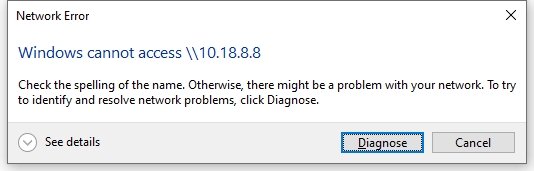
Solution:
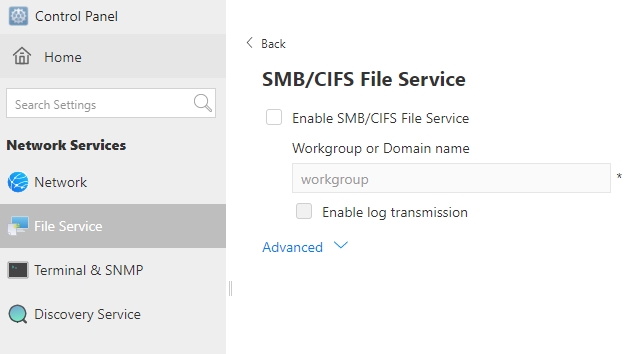
- Go to TOS system >control panel >CIFS/SMB file service, check and enable the SMB file service;
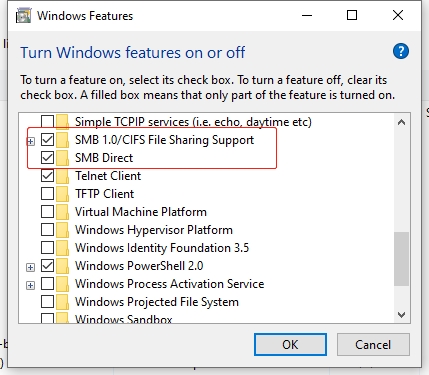
- Go to Windows >Control Panel >Programs and Features, enable the SMB client.
More Solutions Below
Curated by:
